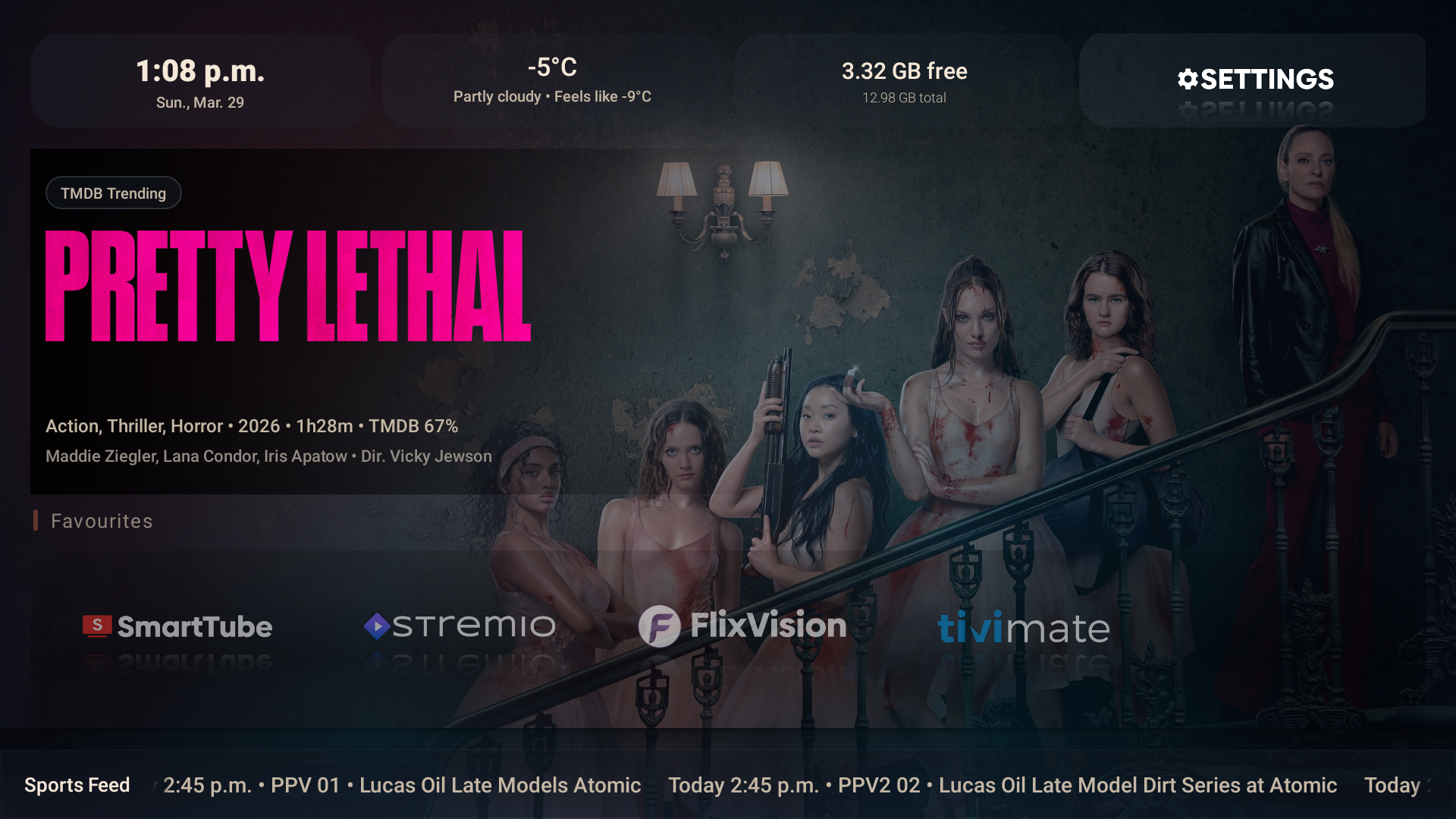
FireLauncher has moved. You are being redirected to the current download site at
firelauncher.3hpm.ca.
FireLauncher Releases
Download the latest FireLauncher build
This page tracks the most recent FireLauncher APK build with live release
metadata. Install it manually on Fire TV or Android TV, then test layout,
navigation, performance, wallpapers, feeds, and overall polish.
Package name: com.threehpm.firelauncher
If you previously installed an older debug or differently signed build,
uninstall that version first before installing this test release.
Install Instructions
Open this page on your Fire TV or Android TV device using Downloader, Silk, or another browser.
Select Download APK and wait for the file to finish downloading.
If your device blocks the install, allow installs from unknown apps for the browser or downloader you are using.
Open the downloaded APK and complete the installation.
Launch FireLauncher from your apps list and begin testing.
Best first test: install it, open it as a normal app, and verify that the
home layout, favourites, settings access, weather, wallpapers, and PPV feeds
load correctly on your device.
FireLauncher test distribution page. If you have trouble installing, confirm that your
device allows APK installs from your downloader or browser app first.